Relationships (elements)
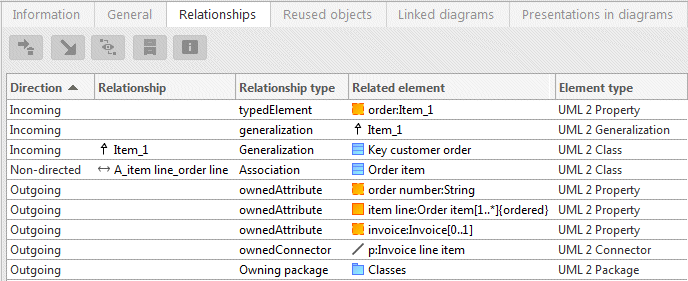
The Relationships properties page displays all of the selected element's relationships with other elements. Alongside the direct relationships, those that appear as a direct graphic link between two elements in the diagram but actually represent a chain of elements and relationships are also displayed.
The binary association is an example of this kind of relationship. It links two classifiers using a graphic edge in the diagram, for example a user case and an actor. However, this association edge does not visualize a direct relationship but a chain of elements consisting of two association ends (UML type Property) and an association.
The Relationships properties page for the use case shows both the direct relationship between the use case and the association end as an incoming relationship of the typedElement type, and the indirect relationship with the actor, which is of the Association type.
You can call up the following functionalities for every relationship:
 Remove relationship
 Go to occurrence of linked element in Explorer
 Show element properties for linked element
The other two functionalities are only available in the Designer component and are described in the corresponding section.