Creating a diagram stereotype
In ARIS UML Designer, you can define stereotypes for diagrams, so that they can be extended with user-defined properties, or to specify which content is to be permitted in the diagrams.
Stereotypes for diagrams are created in exactly the same way as stereotypes for elements, except that the Extension relationship is created from the stereotype to a meta diagram rather than to a metaclass. Meta diagrams are created by the metamodel generator as UML components with the «MetaDiagram» stereotype.

New properties are defined in exactly the same way as that described in Defining new properties .
In addition, you can specify which symbols can be included in the Symbols bar for a diagram to which the stereotype is assigned. For this purpose, you must assign the profile the OMF Extension Profile introduced in ARIS-specific features of user-defined properties and assign the stereotype the «DiagramStereotype» stereotype.
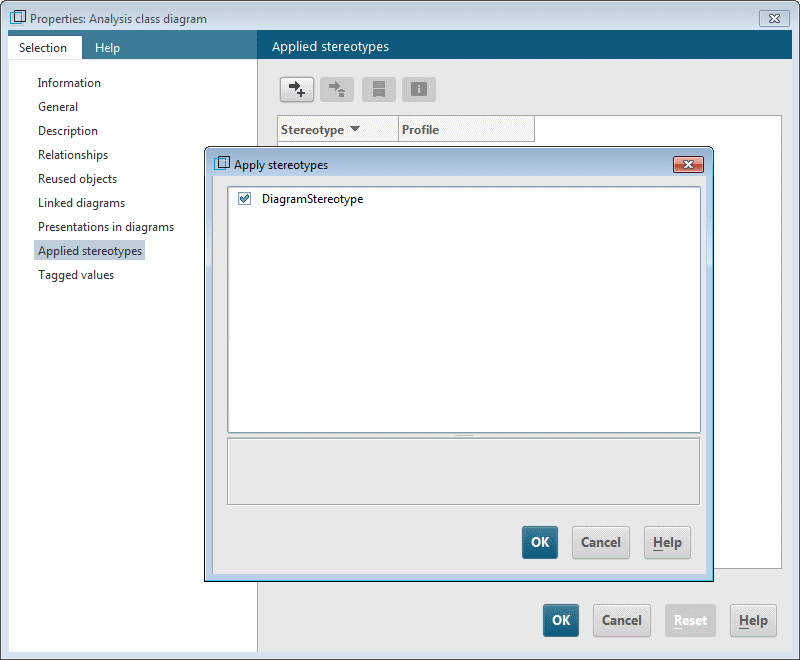
The «DiagramStereotype» stereotype defines three new properties for stereotypes, which you can use to specify which symbols are permitted in the corresponding diagram:
supportedMetaClass
Here, you can add all metaclasses whose symbols are to be supported by the diagram without having to set any restrictions in terms of the symbol or stereotype to be used.
supportedStereotype
Here, you can add all stereotypes whose symbols are to be supported by the diagram. This is useful if the corresponding elements are not to be permitted in the diagram without a stereotype.
supportedSymbol
Here, you can add all symbols to be permitted in the diagram. This is useful if you want to permit only certain symbols in the diagram for a metaclass or a stereotype. As long as you do not specify any symbol in this property (as described in Creating a filter profile ), all edge symbols based on metaassociations whose end types are supported by the profile and the other two properties are also permitted in the diagram. However, as soon as you specify a symbol here, you must add to this property all edge symbols based on metaassociations that are to be permitted in the diagram.
If you do not enter a value for any of the three properties, all symbols are permitted in the diagram.
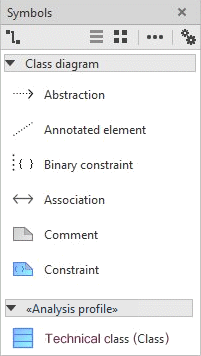
You can use the following configuration to specify that the Symbols bar for Class diagrams with the «Analysis class diagram» stereotype contains all symbols for the UML types Comment and Constraint, all symbols for the UML type Class with the «Technical class» stereotype, and the Association, Constrained element, and Annotated element symbols.
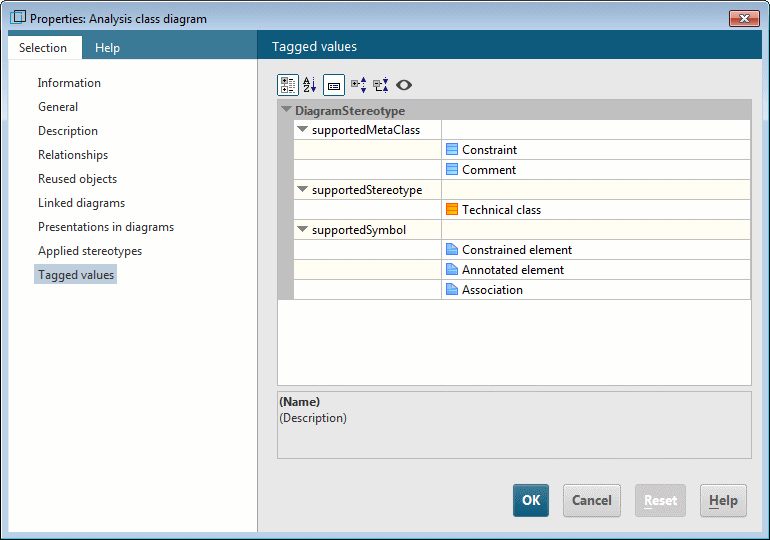
In the Profile diagram, the stereotype with this configuration is displayed as follows:

With this configuration, the Symbols bar for a Class diagram with the «Analysis class diagram» stereotype can contain the following symbols:
If you have defined a single stereotype for a meta diagram in your profile and, in packages to which the profile is assigned, diagrams of this type are only to be created in conjunction with this stereotype, by flagging the Extension relationship as required you can specify that the stereotype is automatically assigned when creating the diagram (see also Creating a stereotype).