Defining new properties
You can use stereotypes to define new properties that are not provided in the UML metamodel. In exactly the same way as the predefined properties, the user-defined properties can represent simple data values or relationships with other elements.
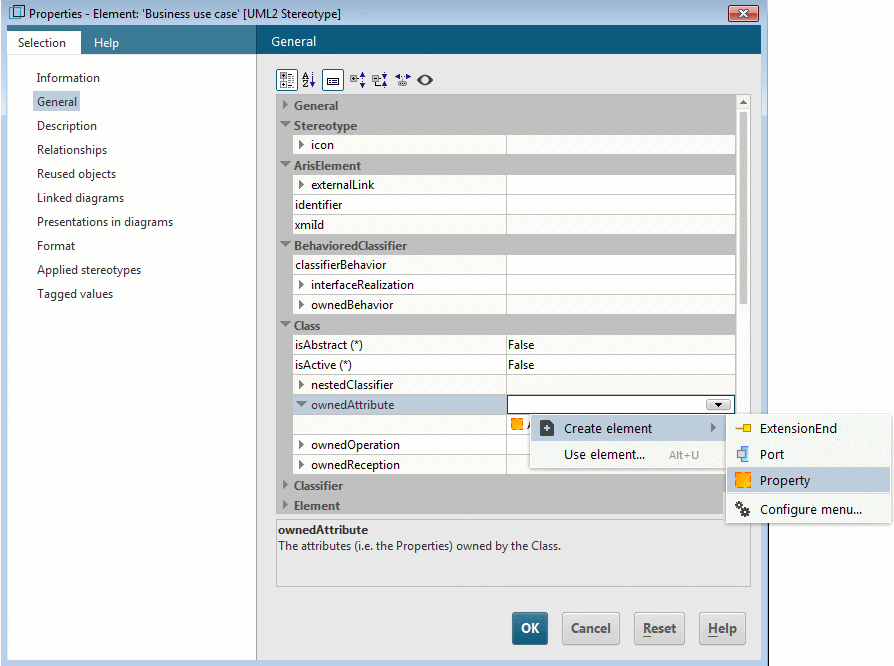
To define the new property Requirements for a stereotype, first create a new attribute of the UML type Property and give it the corresponding name.
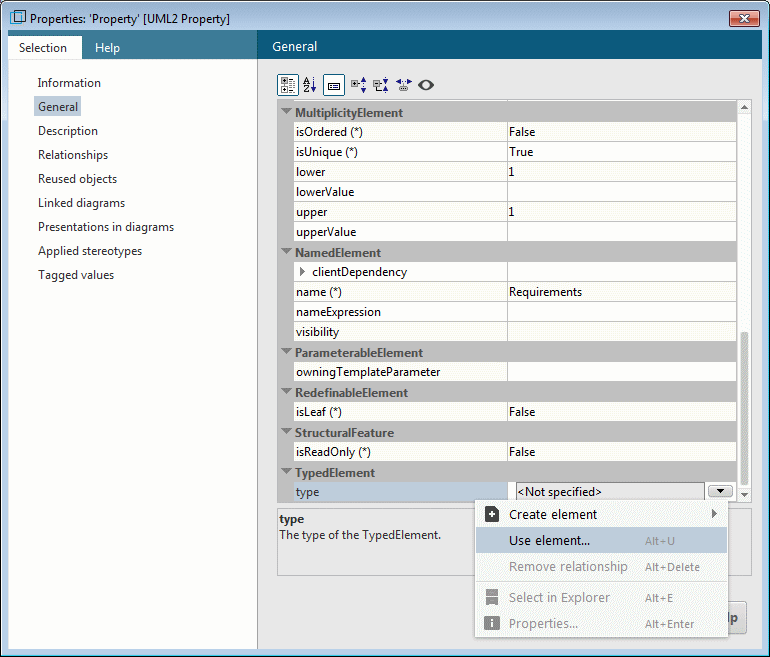
In the next step you have to specify the type of the property. The type can be a primitive data type, an enumeration type, a metaclass, or another stereotype.
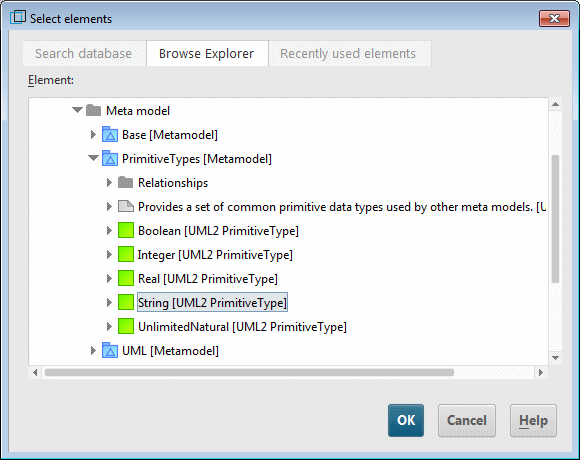
Note that only the primitive data types created by the UML metamodel generator can be used. You will find these in the PrimitiveTypes (Boolean, Integer, Real, String, and UnlimitedNatural) and Base (TimeStamp) metamodels. User-defined primitive data types are not supported, even if they have the same name as those from the generated metamodels.
The values of the Requirements property are entered as text. Therefore, you should select the primitive data type String from the PrimitiveTypes metamodel as the type of the attribute.
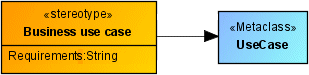
The stereotype thus looks like this:
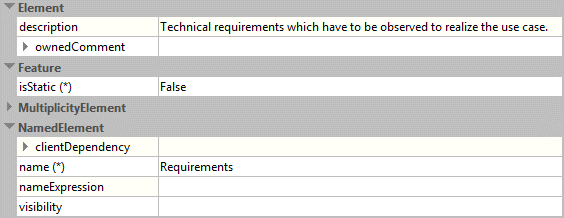
If you enter a description for the property in addition to the name and the type, this is displayed in the Properties dialog for elements to which this stereotype is assigned.
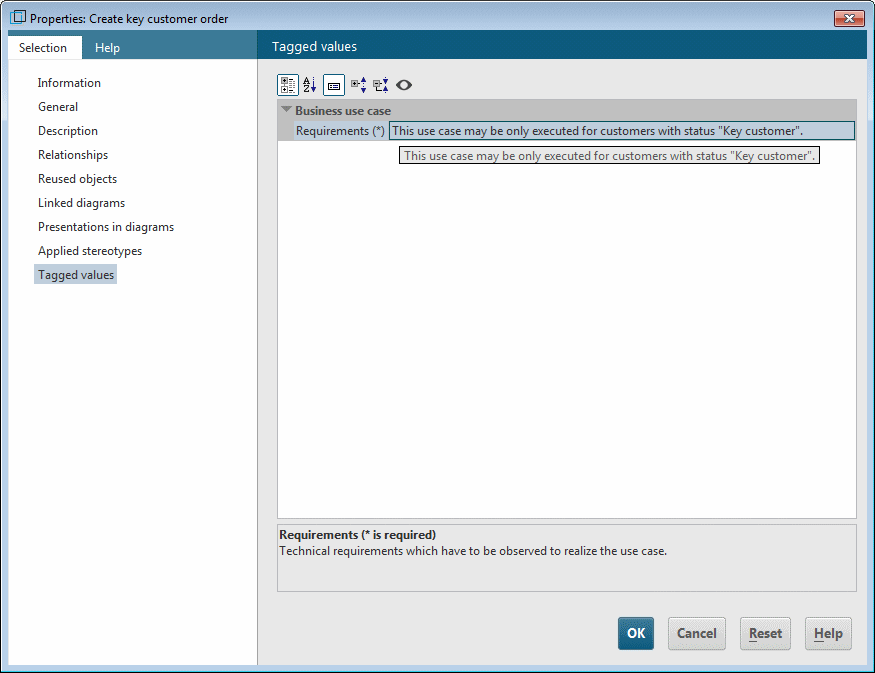
In all use cases to which the «Business use case» stereotype is assigned, the new property Requirements is now available to you on the Tagged values properties page.
If you want to use an enumeration type as the type for a stereotype attribute, it must either be contained in the same profile or be imported into the profile for the stereotype from another profile using an ElementImport relationship. To import an enumeration type from another profile into the profile for the stereotype, create a presentation of the enumeration type in the Profile Diagram for the stereotype and create an edge of the Element import type from the profile to the enumeration type.
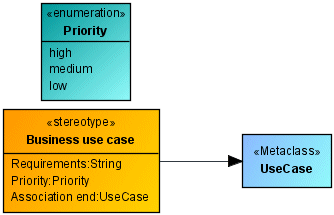
Figure 232 shows a UML enumeration type Priority with the three enumeration values high, normal, and low and a stereotype attribute of the same name, which uses this enumeration type as its type.
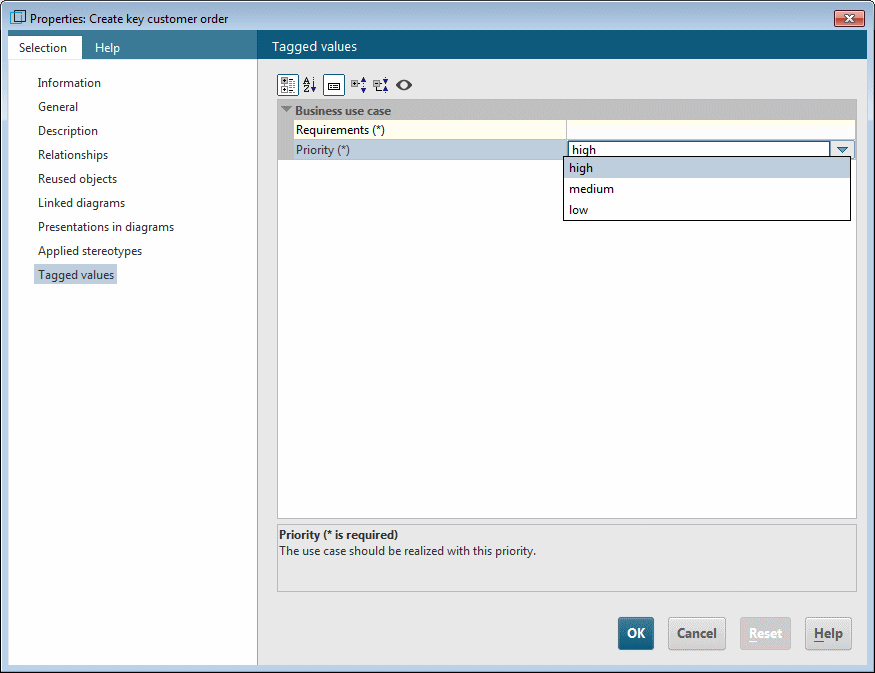
In all use cases to which the «Business use case» stereotype is assigned, the new property Priority is thus available to you on the Tagged values properties page.
Properties with metaclasses as the type enable you to use elements from the corresponding metaclass as values. If you want to use a metaclass as the type for a stereotype attribute, the same applies as for primitive data types – only metaclasses that have been created by the UML metamodel generator are supported.
If you are using a stereotype as the type, you can use elements to which this stereotype is assigned as values. The stereotype must either be defined in the same profile or imported into the profile.