Explorer tree
The Explorer tree shows the familiar ARIS group hierarchy with diagrams and elements. The tree includes both standard ARIS and UML content.
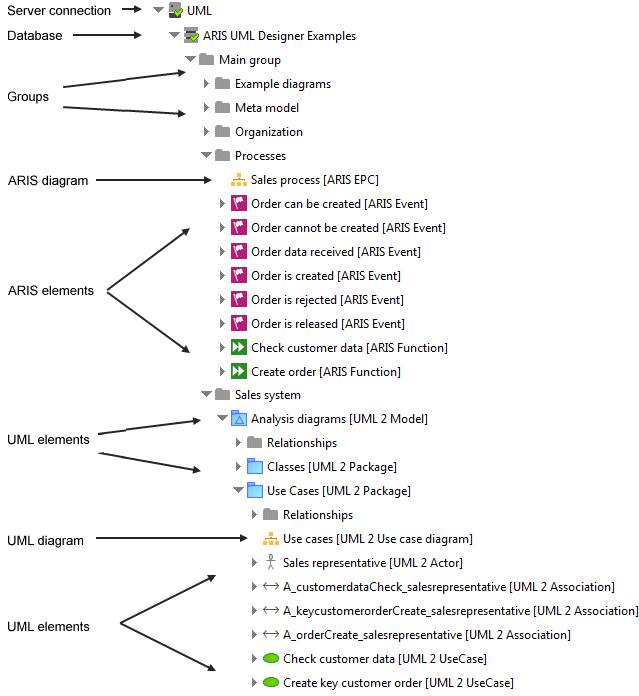
A fundamental difference between ARIS and UML is that, unlike ARIS items, UML elements can form hierarchies, that is, a UML element can contain other UML elements, and this is visible in the Explorer tree. The root of this kind of hierarchy of UML elements is always a UML element of the Package, Model, or Profile type. Only these three types can be directly contained in a group.
Essentially, only new groups, UML elements, and UML diagrams can be created in ARIS UML Designer. ARIS items and ARIS diagrams are displayed in the Explorer tree in ARIS UML Designer, but they cannot be created there.
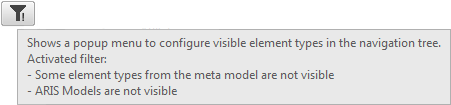
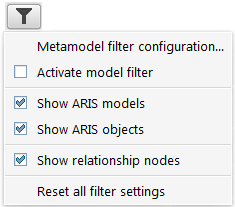
You can filter the Explorer tree content. If you have activated the Explorer tree, top right a  Filter button is available. To focus on specific elements you can restrict the displayed content.
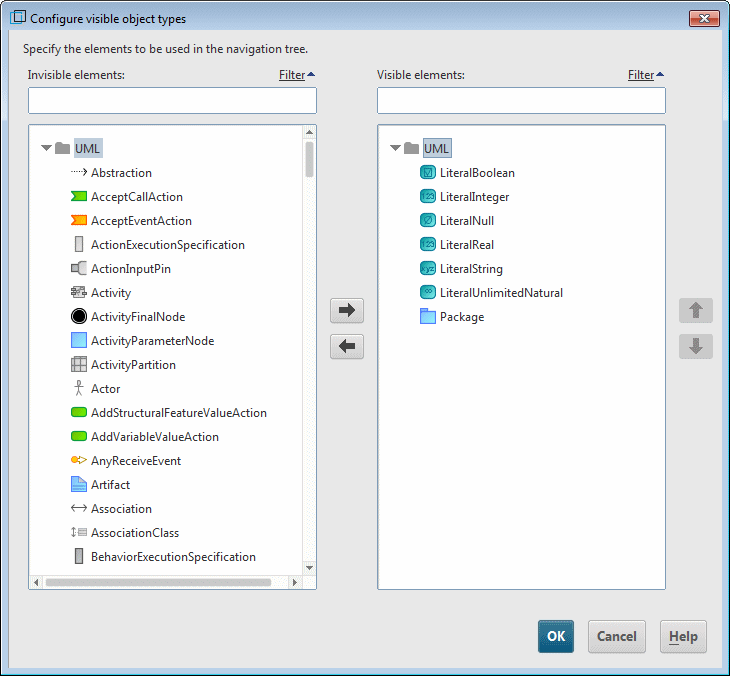
You can even define which UML object types should be visible.
To show the content of the UML types Package, Model, and Profil, these superordinated elements must be included in the Visible elements area. If you, for example, include subordinated elements of Profil, but not Profil itself, the subordinated elements are not shown.
If you have defined a metamodel filter you can toggle it using the Acitvate model filter menu item.
The filter symbol indicates, if a filter is set  or not. A tooltip informs you about the filter details, if you move the mouse pointer briefly over the filter icon.