Specifying the working environment
You can specify the perspective and therefore the working environment by selecting the Select perspective menu item.
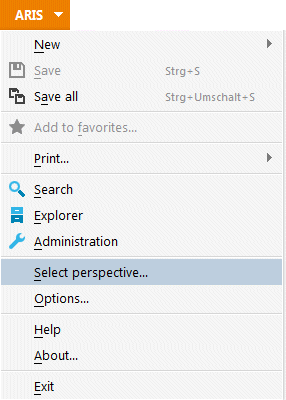
This launches a wizard for specifying the perspective.
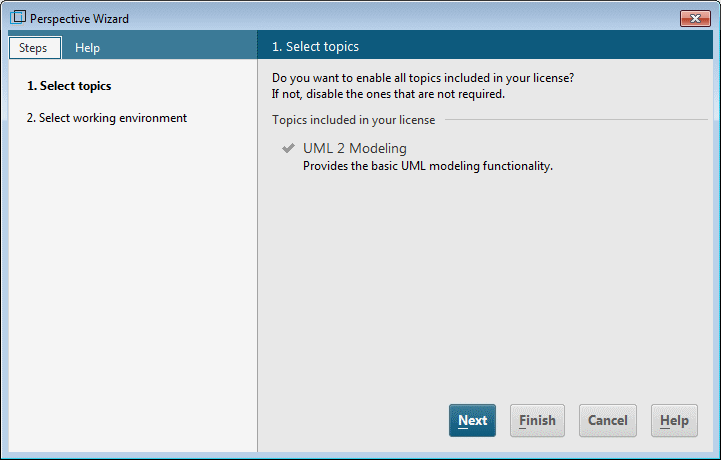
In contrast to ARIS Architect/ARIS Designer, apart from UML modeling no other license-dependent topics are available for ARIS UML Designer.
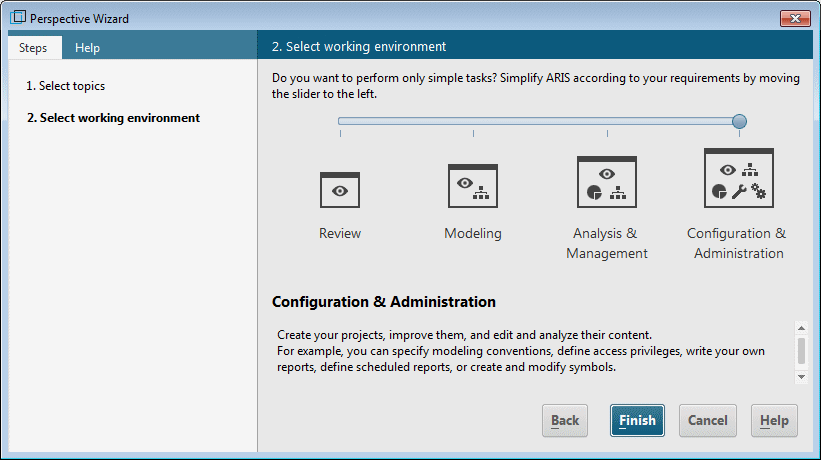
By selecting the working environment, you adjust the range of functions in ARIS UML Designer to the work you are involved in.
Review allows read-only access to the UML content. It is not possible to make any changes to the data and diagrams.
Modeling allows you to edit the content.
Analysis & Management enables additional functionalities such as XML export and XML import.
Configuration & Administration includes administrative activities in ARIS such as editing method filters or configuration of reuse options for business process objects in UML, and creation and editing of scripts.