What support is provided when editing members?
If you are editing a member of a class in the diagram window or in the Explorer tree, the UML notation is displayed as a tooltip. The tooltip informs you of the structure of the entry that is applicable for this member, and changes depending on which area of the notation you are editing:
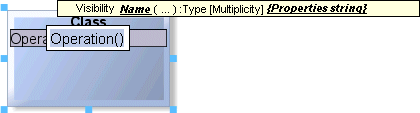
Where a particular entry is expected or contains errors, a separate line in red script informs you of this. Diagram window:

Explorer tree:
