Method filter
When you log into a database in ARIS UML Designer, only those method filters that include UML 2 are available for selection. Unlike in the ARIS standard, UML 2 can only be contained in the method filter in its entirety. A user-defined extension of the UML method is not possible. This is because of the high complexity of the UML metamodel and the fact that the UML specification for user-defined extensions and restrictions includes the use of UML profiles. An introduction to the topic of UML profiles can be found in UML profiles .
Below, the default filter is used to demonstrate how you can add UML to the method filter.
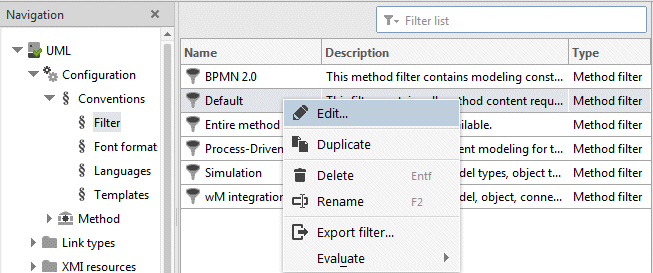
Select the Default filter in the filter list and select Edit from the pop-up menu or the tab bar.
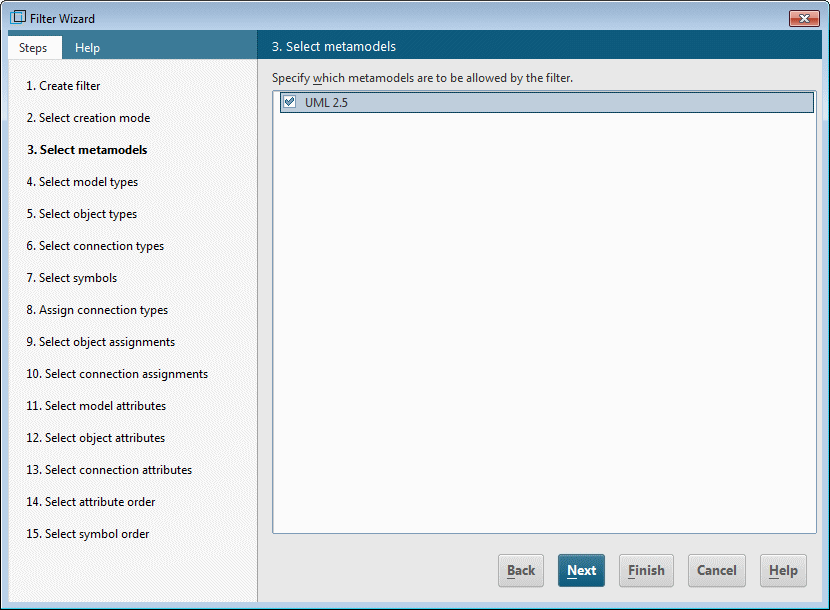
In the Filter Wizard, click the Next button to navigate to the third page Select metamodels and enable the UML 2.5 option. Then click Finish to extend the filter with UML 2.